AI usage, made simple
The tenant admin Usage page now shows AI usage in plain words first. The technical breakdown is still there, behind one button.
Status as of 23 Sep 2026
Why
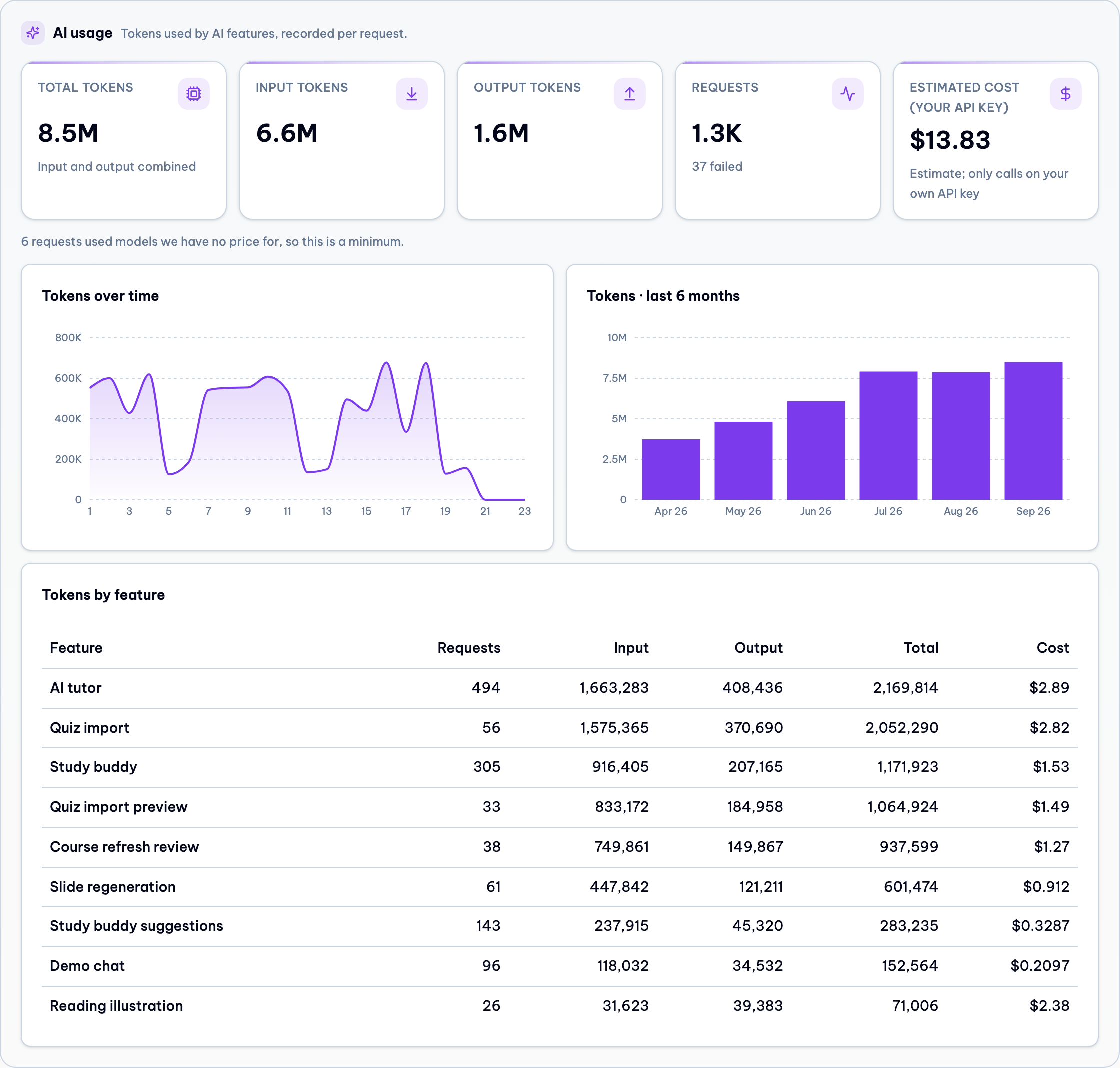
Most tenant admins are not technical. The old section showed five number tiles, two charts and a full table at once, with words like "input tokens" and "output tokens". That is a wall of numbers for someone who just wants to know "how much AI did my team use, and what did it cost".
What changed
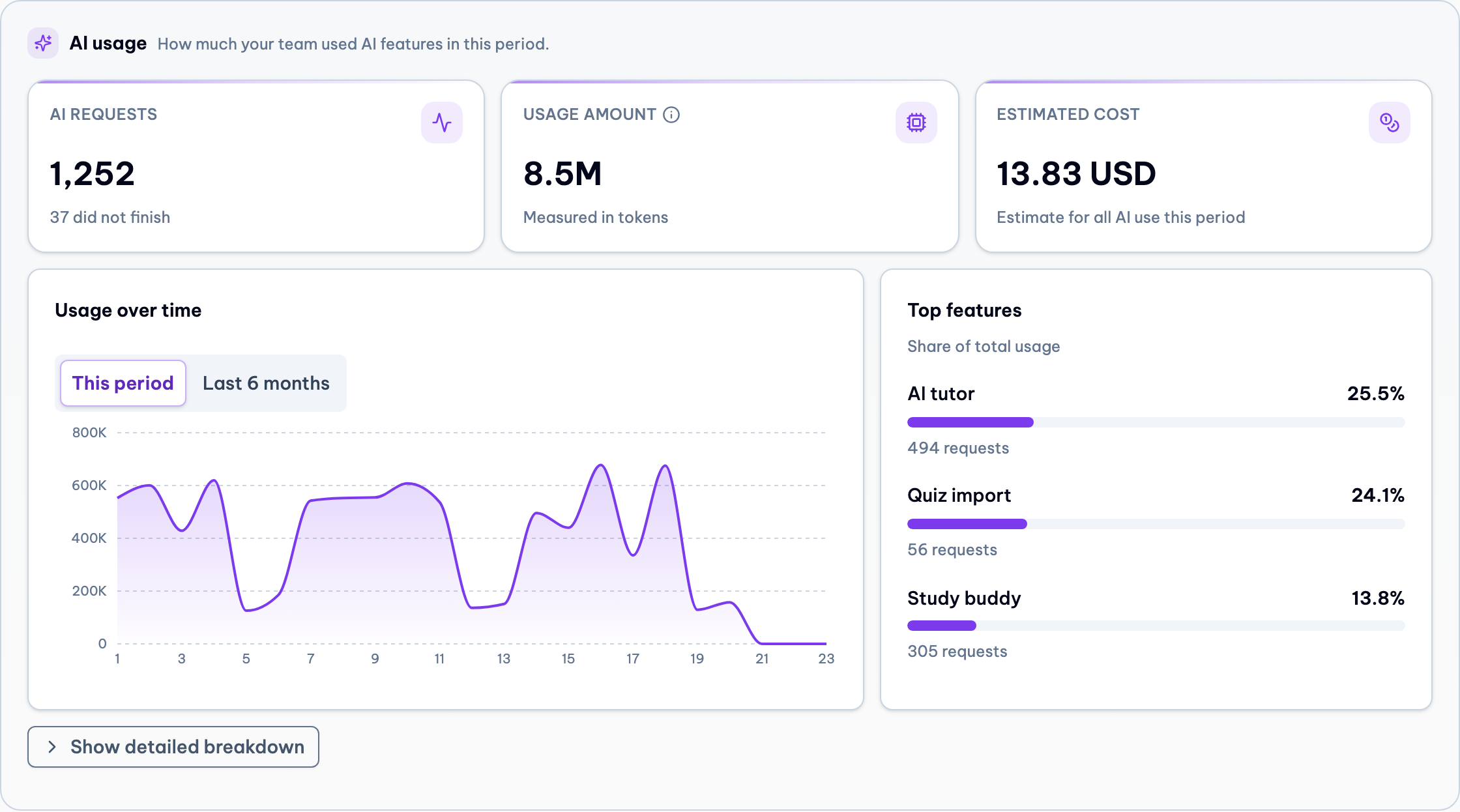
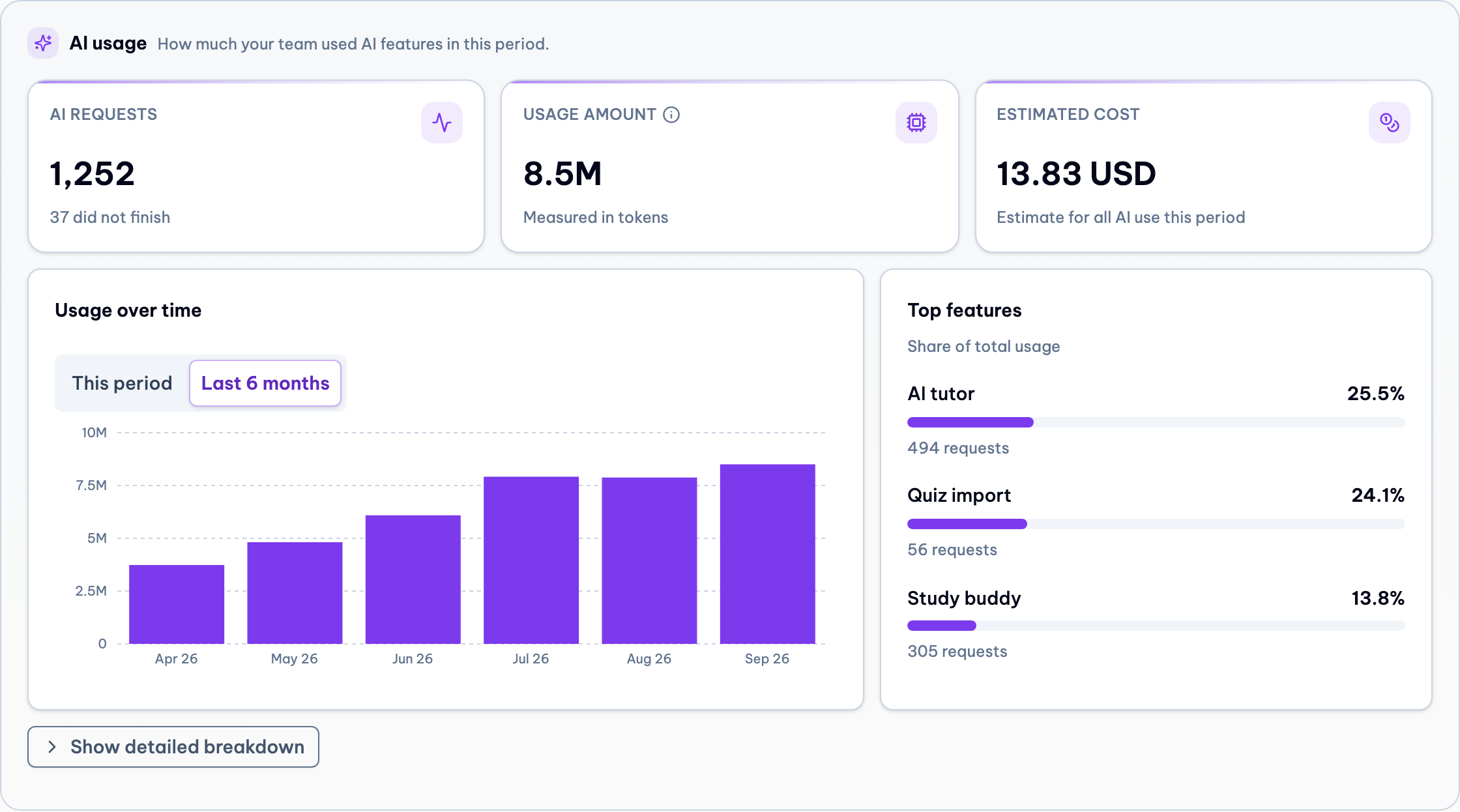
3 plain tiles
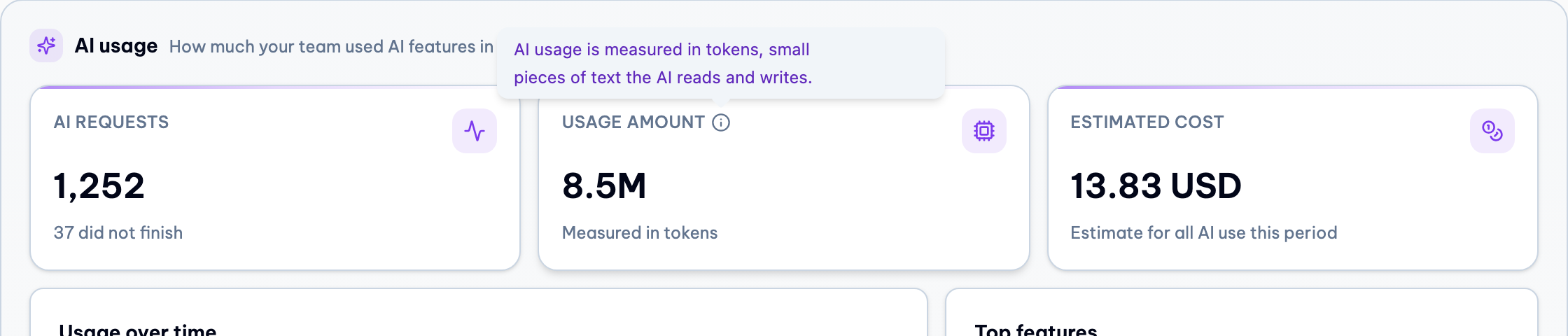
AI requests, Usage amount and Estimated cost. "Usage amount" has a small ⓘ that explains tokens in one sentence.
One chart, one toggle
"Usage over time" with "This period" and "Last 6 months" tabs, instead of two charts side by side. Next to it: the top 3 features with a share bar.
Hidden until asked
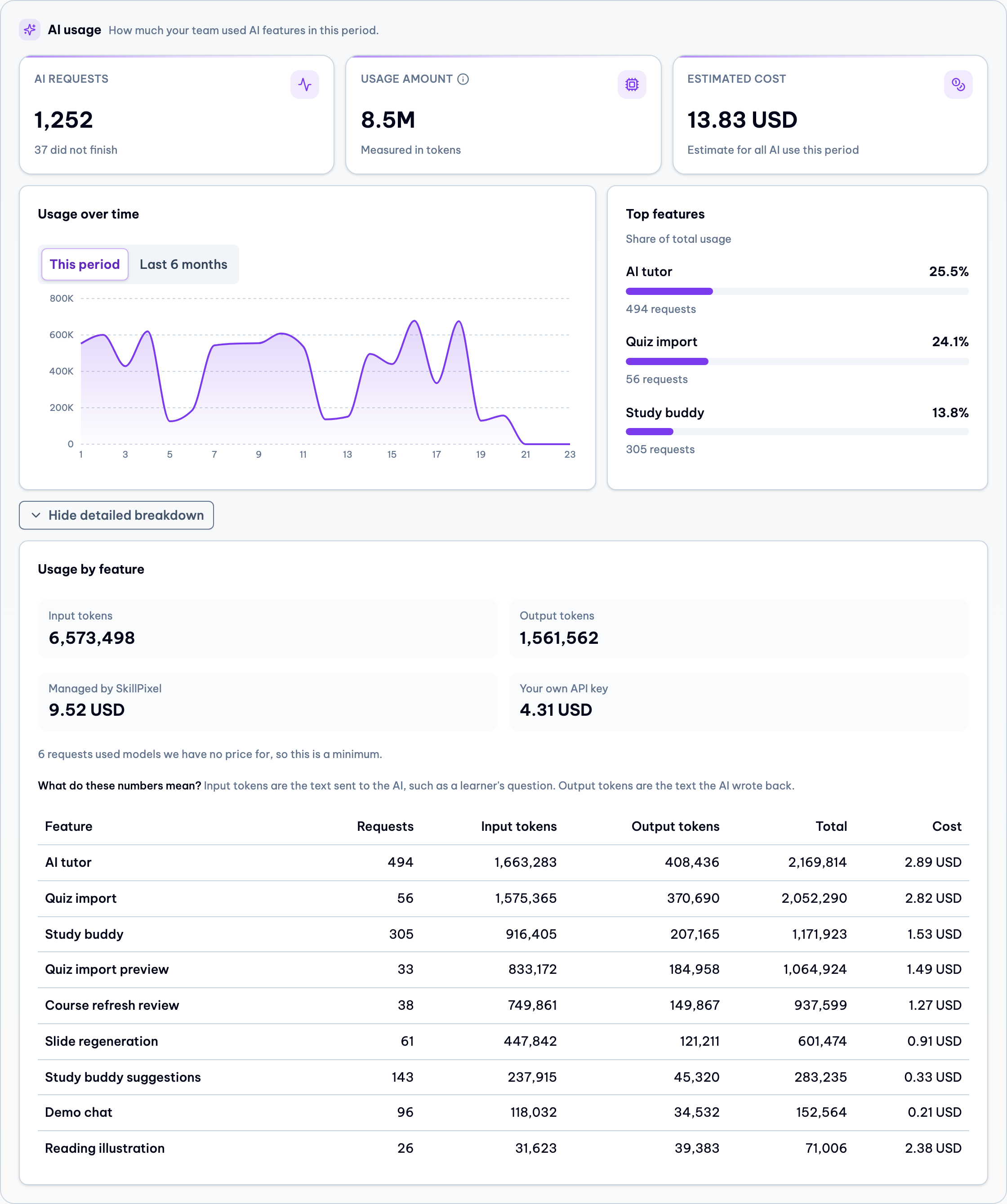
"Show detailed breakdown" opens the Input tokens and Output tokens numbers, the cost split, a short "what do these numbers mean" note and the full table.
Cost for all AI use
Admins now see the estimated cost of all AI use, both what SkillPixel runs for them and what runs on their own API key. Before, only their own key was priced.
Clear "USD"
No more "$" or "US$". Every amount has 2 decimals and ends with USD, for example 13.83 USD. Very small amounts show as "<0.01 USD".
Cost column fits
The feature table now uses the full width, so the Cost column is no longer cut off at 1440px.
Before and after
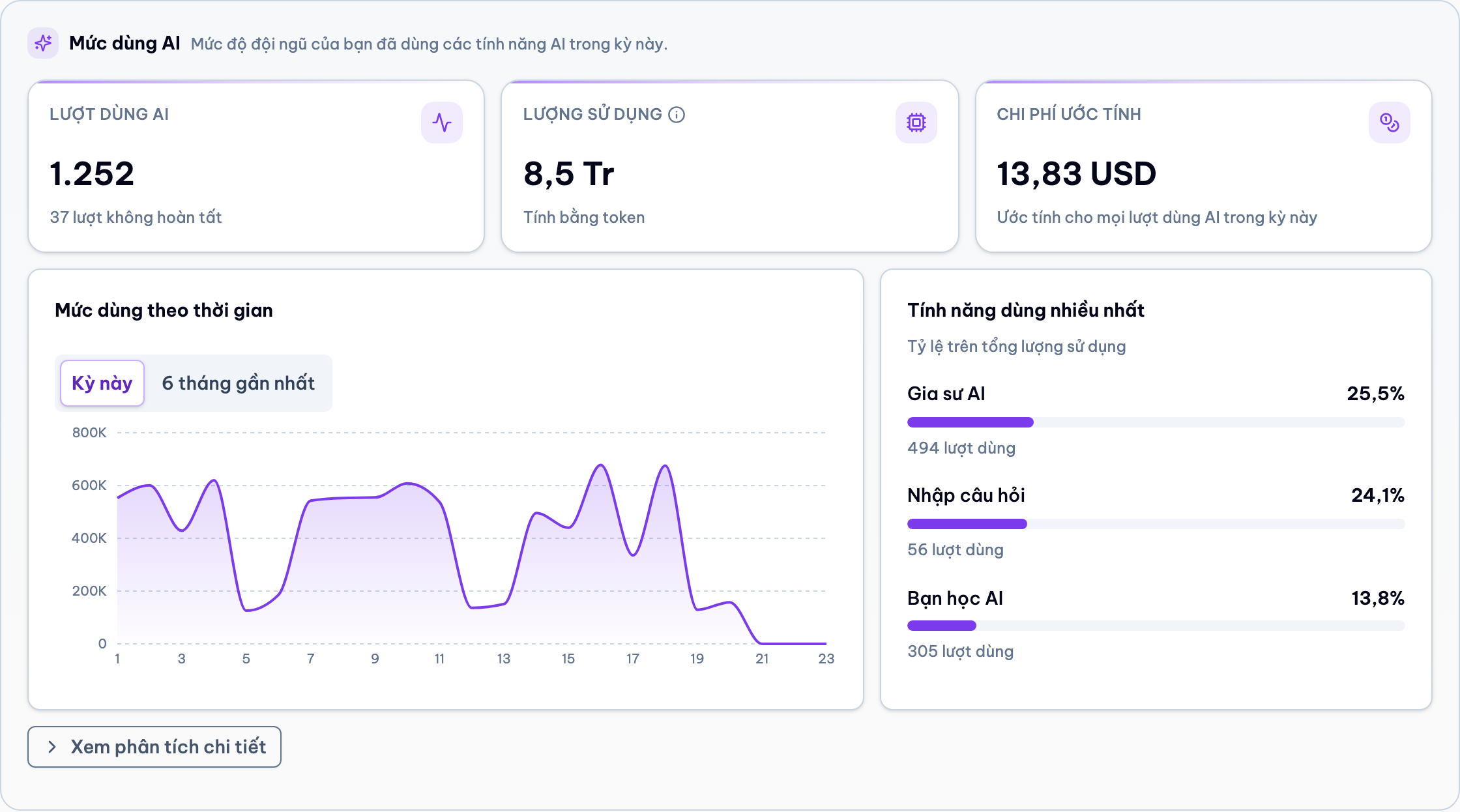
Both shots use the same demo tenant and the same month. Desktop, 1440px wide.
Detailed breakdown, opened
One click on "Show detailed breakdown" gives the full picture for admins who want it.
Small helpers
Vietnamese
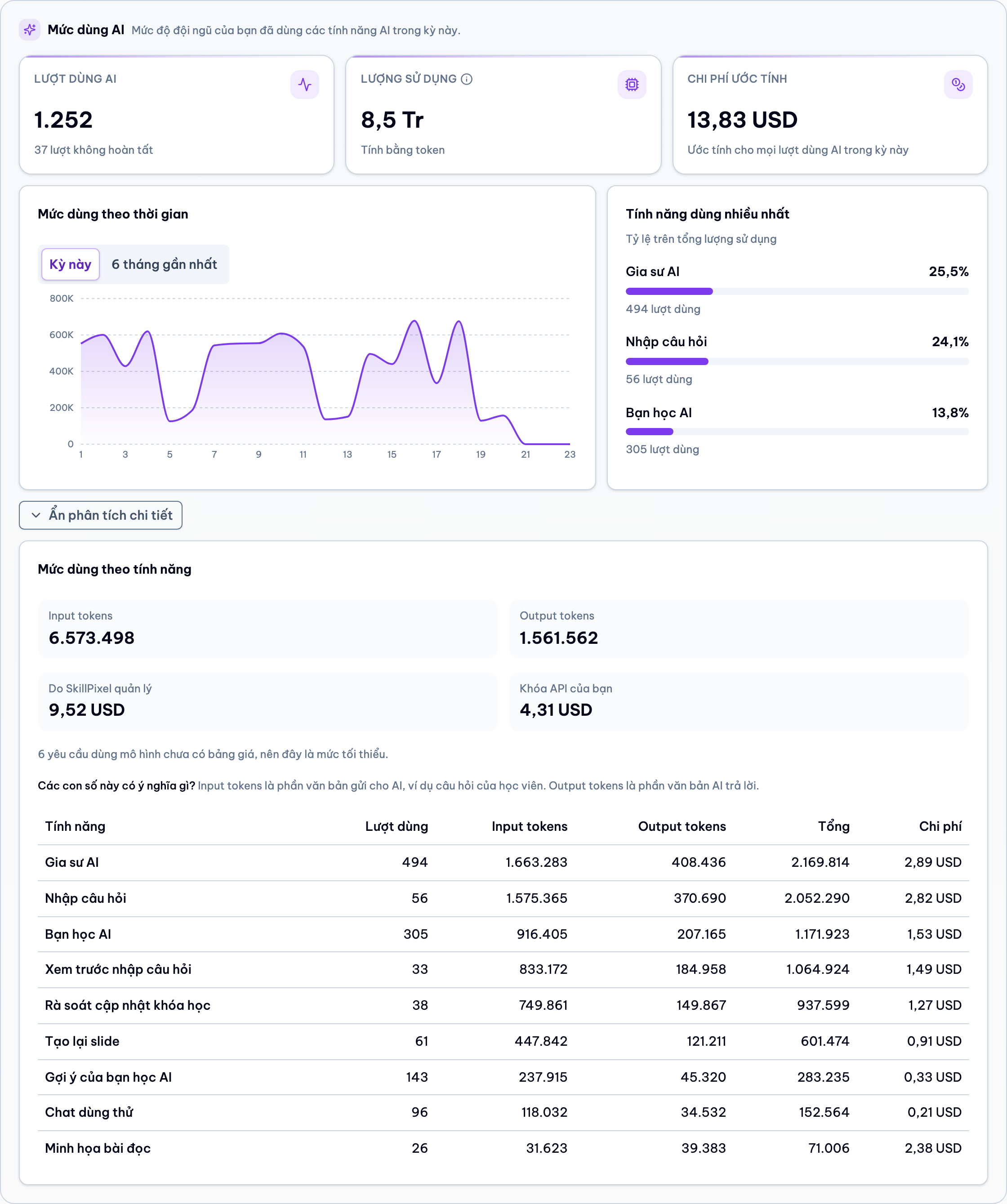
Technical words stay in English
"Input tokens" and "Output tokens" are the same words in English and Vietnamese. A Vietnamese translation of these terms loses the meaning, and one shared term is easier to answer questions about. The short note under the numbers explains them in the page language.
Empty month
When a tenant has no AI use in the chosen month, the section shows one friendly line and nothing else: no tiles, no empty charts, no details button.
Checks
| Check | Result |
|---|---|
| Frontend tests (Vitest) | 424 passed |
| Frontend lint and build | Pass (only old warnings in other files) |
| Backend unit tests | 1725 passed |
| Backend AI usage tests, database tier included | 28 passed, plus related storage, credentials and DOCX import tests |
| Full Docker stack built from this branch | All 5 services healthy, screenshots above taken from it |
| Page width at 1440px, English and Vietnamese | No sideways scroll, Cost column fully visible |
Mobile is not a focus right now, so there is only basic support and no mobile check.
Open items
- The rest of the Vietnamese text needs a quick read by a native speaker.
- Small cleanup later: the API still returns a "cost scope" field that is now always "all". Platform admin still reads it, so it stays for now.
- On touch screens the ⓘ tooltip may not open on tap. The "Measured in tokens" line under the number is always visible, so the tile still makes sense.